Academy
A product’s page
Your customers’ side · 3 of 9
Hide playlist
Sign in
0:00
/ 0:52
1×
Prev
Next
Transcript
Tap a line to play from there
Click a line to play from there
0:00
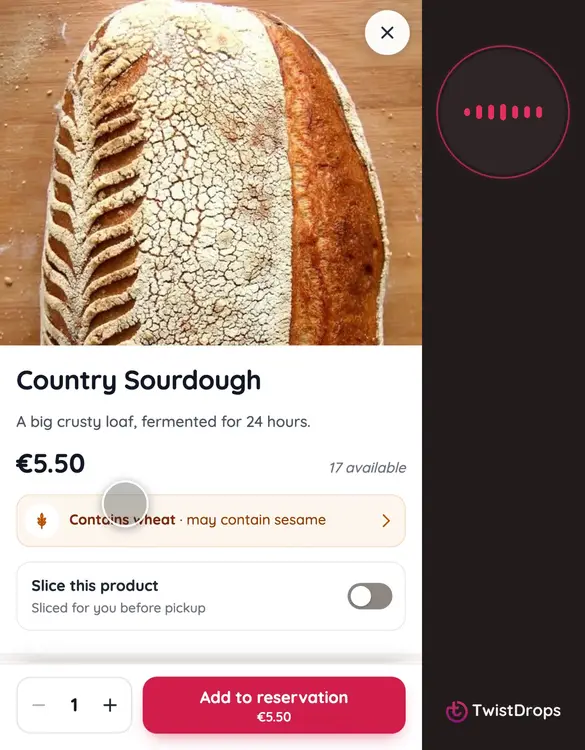
Customers can open any product to see more. Open the drop, and tap a product. Here is the sourdough.
0:07
The photo fills the top. With several photos, customers swipe through them.
0:13
Under it, the name, the price, how many are left, and the short line you wrote.
0:19
The allergens come next, in amber, with the cereal named: contains gluten, and may contain sesame. A customer with an allergy sees this before they order.
0:31
If you made it sliceable, customers can ask for it sliced, before pickup.
0:36
Further down, the description, the allergens in full, and the ingredients.
0:42
To reserve it, they choose how many, and tap Add to reservation.
0:47
Everything on this page comes from the product you made in the studio.
Prev
Playlist
Next