Academy
Your customers
Customers and reviews · 1 of 4
Hide playlist
Sign in
0:00
/ 1:25
1×
Prev
Next
Transcript
Tap a line to play from there
Click a line to play from there
0:00
Everyone who reserves from you, or signs up for your alerts, is in your customer list. Open Menu, and tap Customers.
0:08
The chips split them: everyone, the customers who have ordered, and subscribers, who only asked for your alerts.
0:18
Search by name, email or phone.
0:22
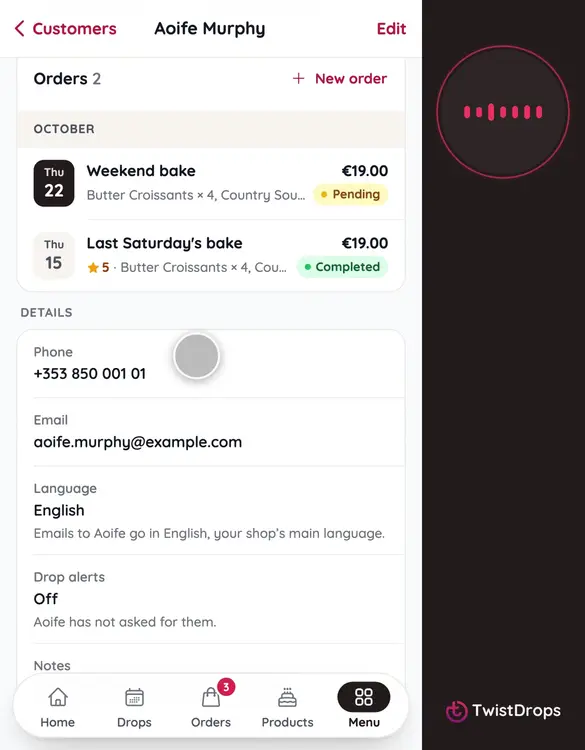
Tap a customer to open their page. Here is Aoife's.
0:26
At the top, how many orders, how much she spent, and her last order. Below, her orders, and her phone and email, one tap away.
0:36
Back to the list.
0:38
To add someone yourself, a regular at the counter, tap the plus, then New customer.
0:46
Add a name, and a phone or an email. A note is only for you.
1:03
Tap Add customer.
1:05
To change something later, open the customer and tap Edit.
1:10
Change what you need, and tap Save changes.
1:19
Your customers are all in one place, with their orders and how to reach them.
Prev
Playlist
Next