Academy
Tag, duplicate and archive products
Products · 2 of 2
Hide playlist
Sign in
0:00
/ 1:18
1×
Prev
Next
Transcript
Tap a line to play from there
Click a line to play from there
0:00
Let's organise your products. First, tags, which group them on your list and on your storefront. Open the Products tab.
0:08
Tap Tags.
0:11
Tap New, type a name, like Bread, and tap Create tag.
0:18
Go back to your products.
0:20
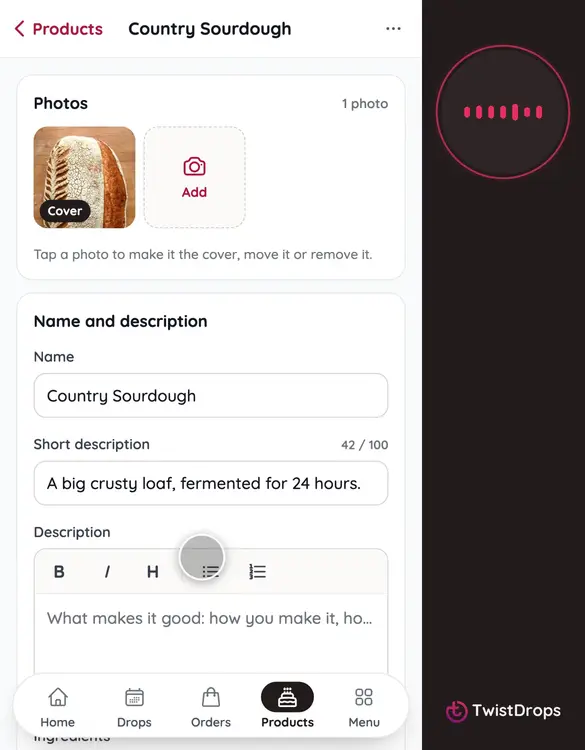
Now open a product. We'll use Country Sourdough.
0:25
Under Tags, tap the tag to give it to this product, then tap Save changes.
0:31
Need something similar? Tap the three dots, then Duplicate. You get a copy with the same photos, tags and allergens.
0:40
Tap Open it, to see the copy. You can rename it and change what is different.
0:46
To take a product off your list, tap the three dots, then Archive. Nothing is deleted, it just can't go into new drops. And you can undo it right away.
0:57
To find archived products, go back to the list, tap Filter and sort, and under Show, choose Archived.
1:06
Open the product, and tap Restore. It is back on your list.
1:12
Tags, copies and archives keep your list tidy, as your shop grows.
Prev
Playlist
Next