Academy
Hand over an order
Orders · 6 of 6
Hide playlist
Sign in
0:00
/ 1:36
1×
Prev
Next
Transcript
Tap a line to play from there
Click a line to play from there
0:00
It's pickup day, and customers are at the counter. To hand over an order, open Menu, and tap Scan pickup codes.
0:08
The first time, your phone asks to use the camera. Say yes: nothing is recorded or kept. After that, the camera opens by itself.
0:18
Hold the customer's code in front of the camera. Every confirmation email has one, and so does their reservation.
0:26
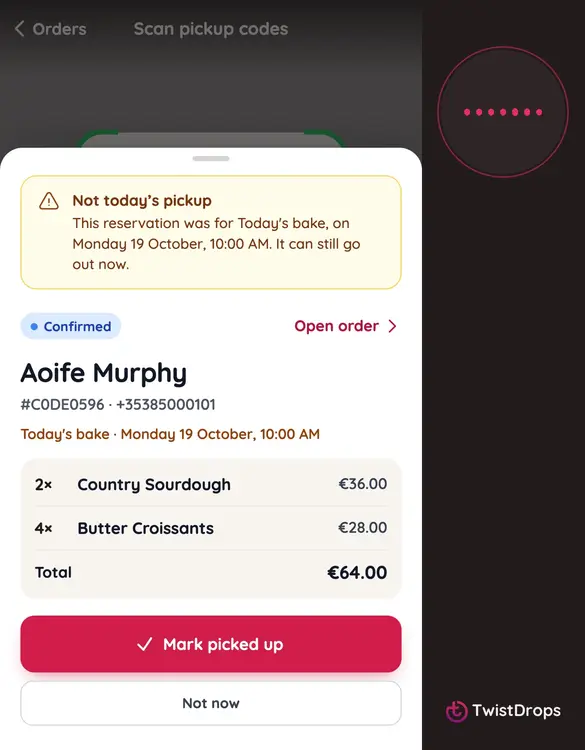
The order comes up with the customer's name, what they ordered, and the total. Check it with them.
0:32
Tap Mark picked up. The order is complete, and the count at the top goes up.
0:38
Ready for the next customer.
1:08
No code, or a customer who forgot their phone? Tap Type a number. It is the eight characters under the code, or on their reservation.
1:18
Type it, and tap Find the order.
1:24
The same screen, and the same button. Tap Mark picked up.
1:29
Scanned or typed, the order is handed over, and you can see how many are left to collect.
Prev
Playlist
Next