Academy
Add an order by hand
Orders · 3 of 6
Hide playlist
Sign in
0:00
/ 1:00
1×
Prev
Next
Transcript
Tap a line to play from there
Click a line to play from there
0:00
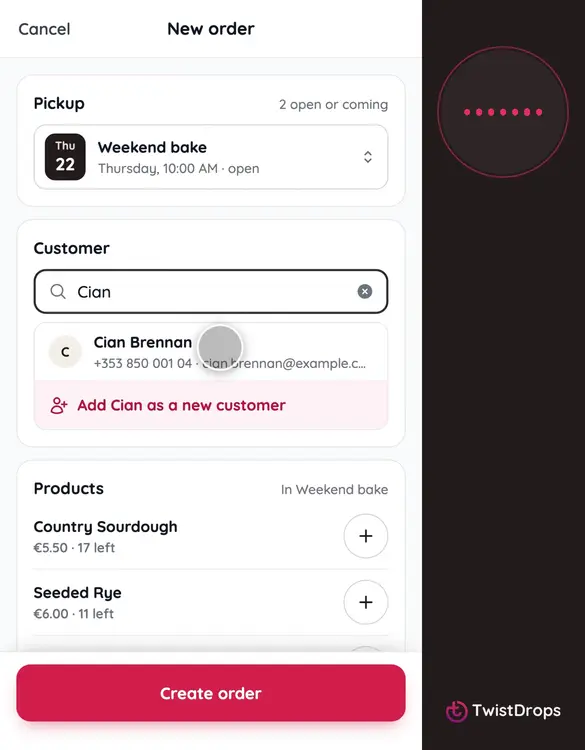
A customer phoned, or came to the counter? Add their order yourself. Tap the plus, then New order.
0:08
First, the drop: the pickup it belongs to. It starts on the next one, Weekend bake.
0:14
Then the customer. Search by name, email or phone, and tap the match. This is Cian, who has ordered before.
0:23
Add the products. Tap Add for each one, and use the plus and minus for the quantity.
0:30
If it is a loaf and they want it sliced, switch Sliced on.
0:35
Choose the status. Pending waits for you to confirm it. Confirmed sends the customer their confirmation, with the pickup code.
0:44
Add a note only you can see, if you like.
0:49
The total is on the button. Tap Create order.
0:53
The order is in. It reserved its stock, just like an order from the storefront.
Prev
Playlist
Next