Academy
Make a reservation
Your customers’ side · 4 of 9
Hide playlist
Sign in
0:00
/ 1:12
1×
Prev
Next
Transcript
Tap a line to play from there
Click a line to play from there
0:00
Let's reserve. Open the drop, and add what you want: a sourdough, and some croissants.
0:10
The bar at the bottom shows the count and the total. Tap Complete reservation.
0:16
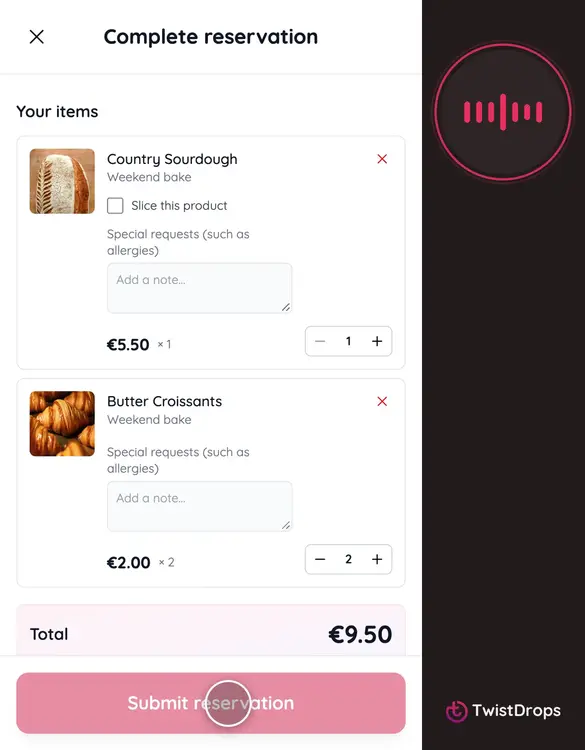
Your items, grouped by drop. Each product has a field for special requests, like an allergy or a preference.
0:25
The sourdough, sliced, with a note.
0:31
The total is at the bottom of the list. Nothing is paid now: customers pay at pickup.
0:38
Then your details: name, email and phone. The shop uses them to reach you about the pickup.
0:50
Tick that you agree to the terms. The button stays off until you do.
0:55
Tap Submit reservation.
0:57
Done. You get a reservation number, and the message that it is waiting for the shop to confirm. An email with the details is already on its way.
1:07
Next, we look at the emails a customer gets.
Prev
Playlist
Next