Academy
Reply to a review
Customers and reviews · 4 of 4
Hide playlist
Sign in
0:00
/ 0:49
1×
Prev
Next
Transcript
Tap a line to play from there
Click a line to play from there
0:00
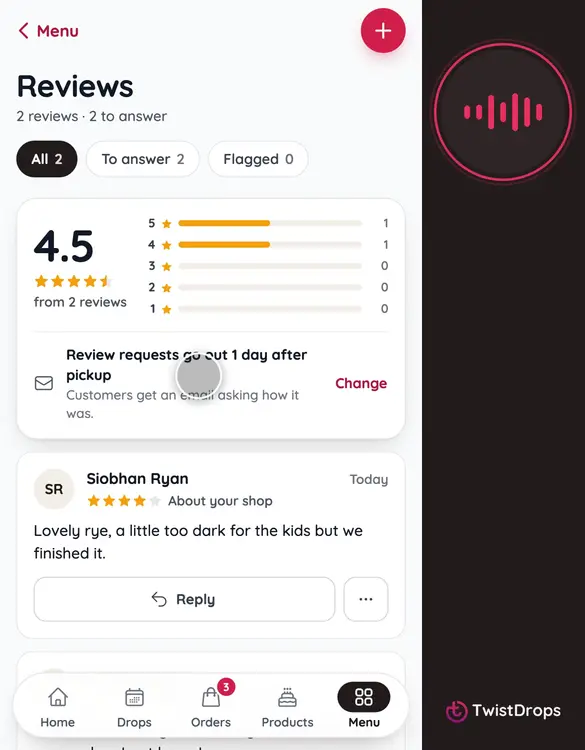
Customers have reviewed your shop. Answering is the best way to say thank you. Open Menu, and tap Reviews.
0:08
At the top is your rating. The chips let you see all reviews, the ones still to answer, and any flagged.
0:15
Tap To answer to see the ones waiting for you.
0:19
Tap Reply under a review. Here is Aoife's.
0:23
Write a few words. Thank them, and say something about what they wrote.
0:32
Tap Post reply. The customer gets an email, and your answer shows under the review on your storefront.
0:39
You can edit or remove your reply later, from the three dots.
0:44
A reply to every review shows new customers that you listen.
Prev
Playlist
Next