Academy
Copy products from another drop
Drops · 4 of 6
Hide playlist
Sign in
0:00
/ 0:57
1×
Prev
Next
Transcript
Tap a line to play from there
Click a line to play from there
0:00
Want a new drop with some of the same products? Start a new drop: tap the plus, then New drop, and give it a name.
0:09
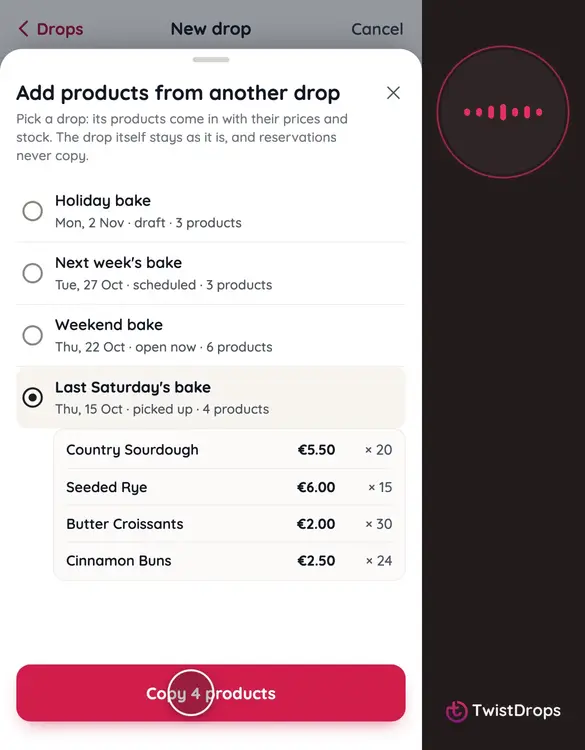
Under Products, tap From another drop. It's there until the drop is published.
0:15
Choose the drop to copy from, here last Saturday's bake, and tap Copy. Its products come in with their prices and stock.
0:24
Then change what you need: add a product, or change a price or a stock for this drop.
0:35
Choose the pickup day and time, and when reservations close.
0:43
You can publish now, or save a draft and come back to it. Tap Save draft.
0:49
Duplicate copies a whole drop. From another drop copies just its products, into a new one.
Prev
Playlist
Next