Academy
Browse a drop
Your customers’ side · 2 of 9
Hide playlist
Sign in
0:00
/ 1:07
1×
Prev
Next
Transcript
Tap a line to play from there
Click a line to play from there
0:00
A customer opens your drop. Tap Reserve now.
0:04
At the top, the drop: its name, and the pickup day and time. The timer counts down to the end of reservations.
0:12
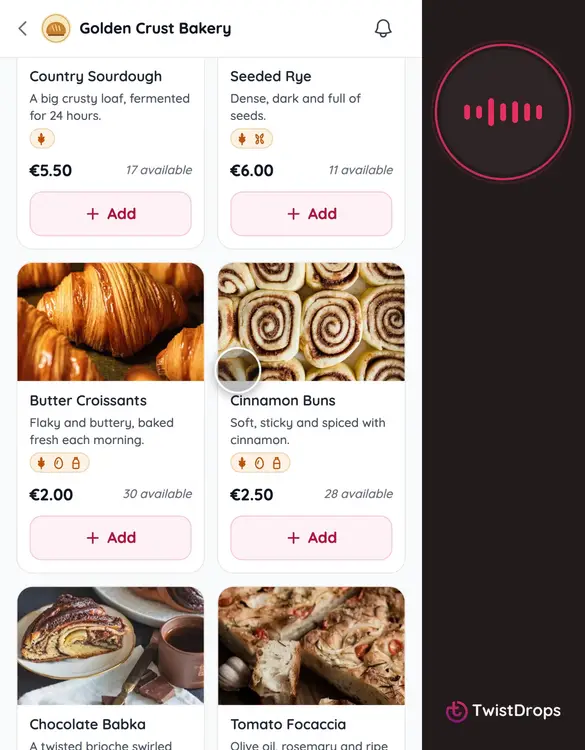
Then the products. Each card shows the photo, the price, and a few facts: the pack, the weight, and the allergens it contains.
0:22
The stock is live. When there are only a few left, the card says so, in amber and then red. And when a product has sold out, it is greyed out, so no one orders what is gone.
0:35
Customers with an allergy can tap Allergens, and hide every product that contains the ones they choose.
0:42
Say they choose sesame.
0:44
The list shows only what is safe for them, and says how many products it is hiding.
0:50
Tap Clear, and everything is back.
0:53
To reserve something, tap Add. The card becomes a stepper to change the quantity, and a message confirms it.
1:02
Next, we open a product, and then we place the order.
Prev
Playlist
Next