Academy
Translate your products and drops
Languages · 1 of 2
Hide playlist
Sign in
0:00
/ 1:09
1×
Prev
Next
Transcript
Tap a line to play from there
Click a line to play from there
0:00
With a second language added, every form asks for it. Open Products, and tap a product. This shop is in Spanish.
0:08
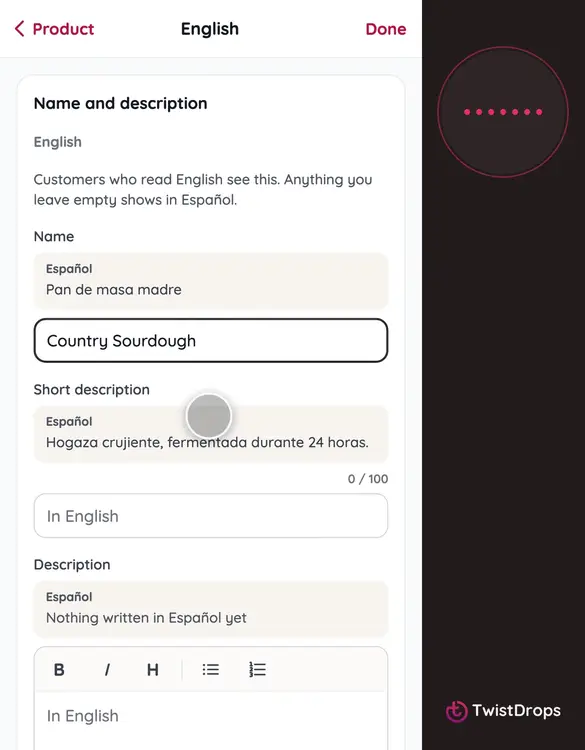
The name and the descriptions are in Spanish, the default. Under them, a button for English says it is not written yet. Tap it.
0:18
Write the name, and the short line, in English.
0:28
Tap Done, then Save changes. Customers who read English will see this. Anything you leave empty shows in Spanish, so nothing is ever blank.
0:39
Drops work the same way. Open Drops, and a drop.
0:46
A drop has tabs, one for each language, and each tab shows how many of its fields are written.
0:53
Tap English, and give the drop its English name.
1:00
Tap Save changes.
1:02
Prices, stock and pickup are the same in every language. Only the words change.
Prev
Playlist
Next