Academy
The production list
Orders · 5 of 6
Hide playlist
Sign in
0:00
/ 1:05
1×
Prev
Next
Transcript
Tap a line to play from there
Click a line to play from there
0:00
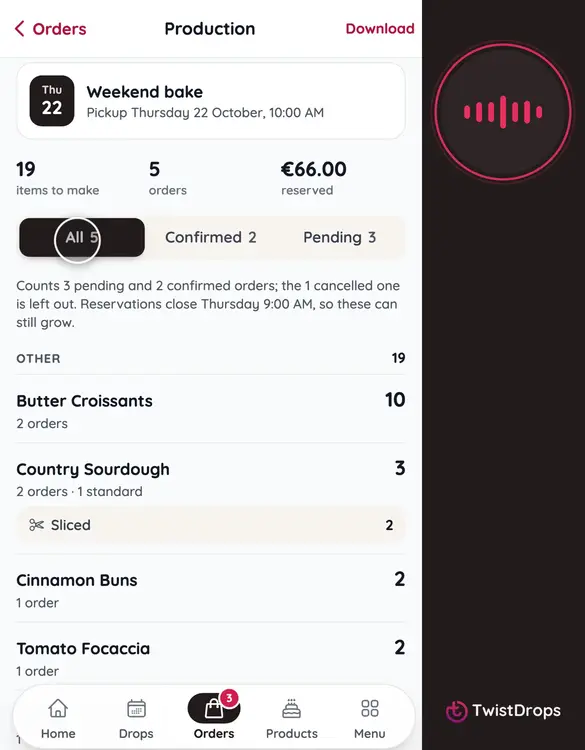
Before the pickup, you need to know what to make. On the Orders tab, under the drop, is the Production card. It counts every item. Tap it.
0:10
At the top: how many items to make, how many orders, and how many are reserved.
0:16
Choose what it counts: all orders, only the ones you confirmed, or only the pending ones.
0:23
Below, every product, with how many to make, grouped by tag. Special requests, like sliced, and the notes customers wrote, are listed right under it.
0:35
To print it, tap Download.
0:38
Choose what to print: the production and pickup list together, only the production page for the kitchen, or only the pickup list, with every confirmed order, its phone number and notes.
0:50
For the pickup list, choose the order: by name, or by when they reserved.
0:56
Tap Download PDF.
0:58
Print it, tick things off as you bake, and tick the orders off as customers come in.
Prev
Playlist
Next