Academy
A tour of Settings
Set up your shop · 3 of 6
Hide playlist
Sign in
0:00
/ 1:07
1×
Prev
Next
Transcript
Tap a line to play from there
Click a line to play from there
0:00
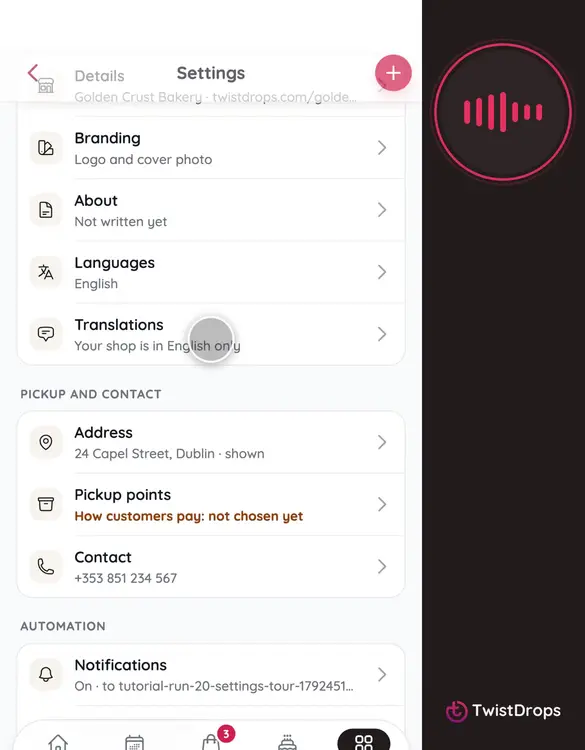
Everything about your shop lives in Settings. Open Menu, and tap Settings. Each row shows what is set, so you can see at a glance what is missing.
0:10
Under Shop: your details, name and link, your logo and cover, the story on your storefront, and the languages customers can read it in.
0:21
Under Pickup and contact: your address, your pickup points and how customers pay, and your phone and social links.
0:30
Under Automation: the emails you get about new orders, and the review requests that go to your customers.
0:37
Under Account: your password, and your privacy choices about how the studio is used.
0:44
Let's open one. Tap Pickup points.
0:47
Here is where customers collect, and how they pay: cash, card or transfer, at pickup. Tell them, so there are no surprises.
0:57
Go back to Settings.
0:59
Amber means something customers would miss. Fill those first, and your shop is ready.
Prev
Playlist
Next