Academy
Share your shop and its QR code
Set up your shop · 6 of 6
Hide playlist
Sign in
0:00
/ 1:04
1×
Prev
Next
Transcript
Tap a line to play from there
Click a line to play from there
0:00
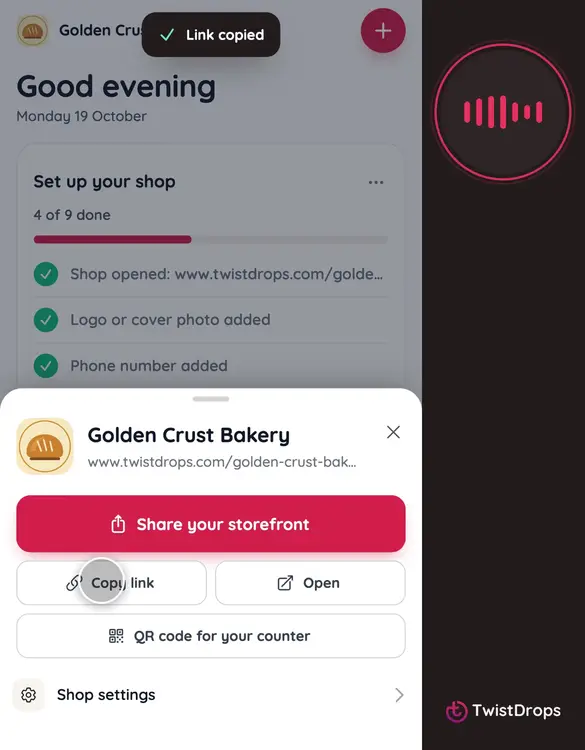
Let's share your shop. Your storefront has its own link, and a QR code for your counter. Tap your shop's name, at the top.
0:08
This sheet is for sharing. Copy link puts your storefront's address on your phone's clipboard, ready to paste into a message or a post.
0:17
Tap Copy link.
0:19
For your counter, tap QR code. Anyone who scans it lands on your storefront.
0:25
This is your sticker, the size of a postcard. Print it at home, or at a print shop, and put it where customers can see it.
0:33
Tap Download sticker to save it as a picture. Code only gives you just the QR code, for your own designs.
0:41
Code only saves the QR code on its own, as an SVG.
0:46
The code points to this short link. Copy it if you want to put it on something else.
0:52
Below, Scans counts the people who scan it, once per phone every half hour.
0:58
Share the link, and print the sticker. Your next customers will find you.
Prev
Playlist
Next