Academy
Publish your first drop in Spain
Drops · 1 of 7
Hide playlist
Sign in
0:00
/ 1:16
1×
Prev
Next
Transcript
Tap a line to play from there
Click a line to play from there
0:00
Your products are ready. Now plan your first drop: the products you'll sell, and the day customers collect them. Tap the plus, then New drop.
0:10
Give the drop a name. Customers see it on your storefront.
0:15
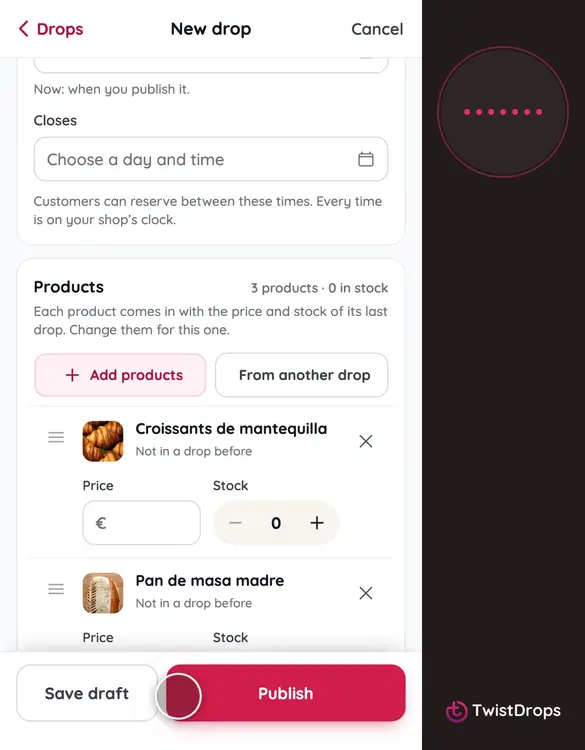
Tap Add products, tick the three, and tap Add.
0:26
Now the prices. They are in euros, the currency of your country, which was set when you opened the shop. Type a price and a stock for each product.
0:43
Choose the pickup day, the time it starts, and when it ends, then when reservations close.
0:53
Tap Publish, and confirm. The drop goes live on your storefront.
0:58
To see it as a customer does, tap View on storefront.
1:03
Here is the drop, and its prices in euros: the symbol, €, is on every one.
1:09
Customers in your country see their own currency, and you set every price once.
Prev
Playlist
Next