Academy
Take payments online
Set up your shop · 13 of 14
Hide playlist
Sign in
0:00
/ 1:10
1×
Prev
Next
Transcript
Tap a line to play from there
Click a line to play from there
0:00
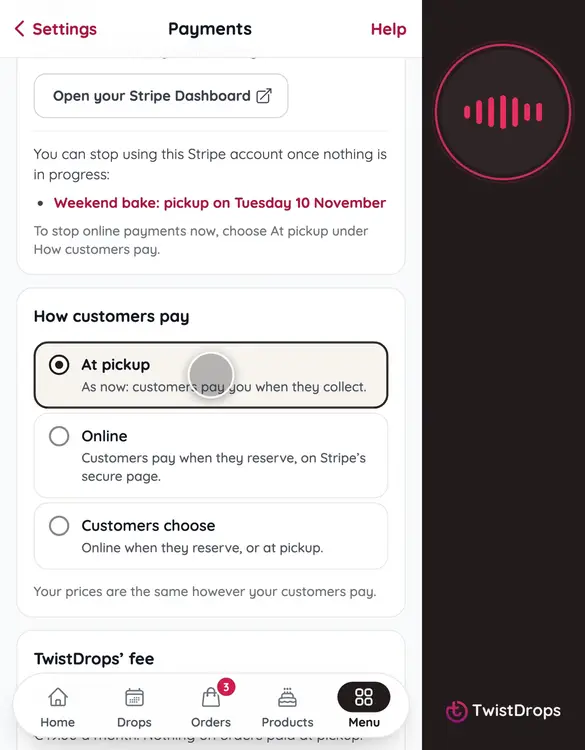
Want customers to pay when they reserve? With the Online payments add-on, they can pay online, and the money goes to your own Stripe account. Open Menu, Settings, and tap Payments.
0:12
Your Stripe account is connected. Customers pay on Stripe’s secure page, and Stripe pays you out to your bank.
0:19
Under How customers pay, you choose. At pickup is as it always was: they pay you when they collect. Online means they pay as they reserve. Or let your customers choose.
0:33
Tap Customers choose.
0:36
You can also ask for online payment on bigger orders. Type 30, and any order worth more than that is paid online. Smaller ones, they pay as they like.
0:48
Tap Save changes. From the next reservation, your storefront offers it.
0:53
At the bottom, you see TwistDrops’ fee, in plain words. It is only on what your own customers pay online. Nothing on orders paid at pickup.
1:03
Your prices stay the same however customers pay, and you choose again any time.
Prev
Playlist
Next