Academy
VAT: your own rates
Set up your shop · 12 of 14
Hide playlist
Sign in
0:00
/ 1:18
1×
Prev
Next
Transcript
Tap a line to play from there
Click a line to play from there
0:00
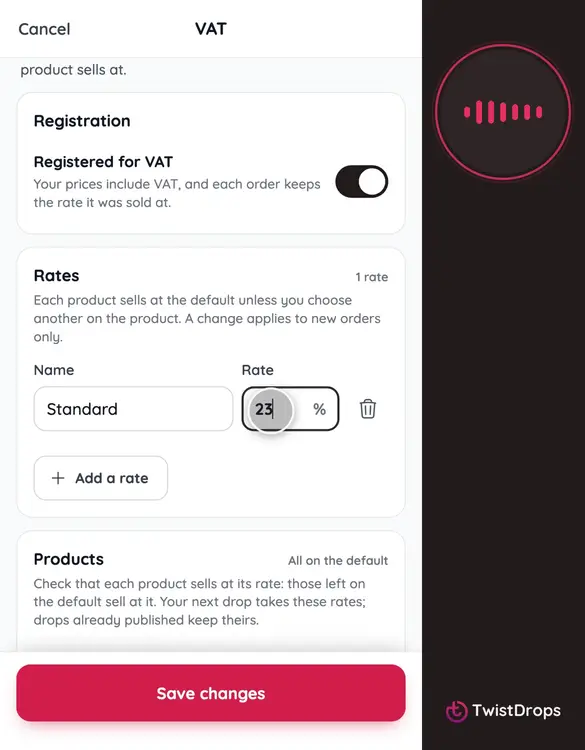
Are you registered for VAT? Then your rates belong in the studio. Open Menu, Settings, and tap VAT.
0:10
Switch on Registered for VAT. Not registered? Leave it off, and no VAT appears anywhere.
0:18
Now your rates. Each one has a name and a percentage, already included in your prices. Type yours, for example Standard, 23.
0:29
Tap Add a rate for another, like Reduced, 13.5. Your accountant knows which rate each product needs, so you decide, not us.
0:40
Tap Save changes. Your next drop takes these rates.
0:44
At the bottom, choose a month and download a CSV: every order line with its rate, the net, the VAT and the total, for your accountant.
0:55
A product sells at the default rate, or at another. Open a product, and choose its VAT rate.
1:03
Pick Reduced, and save.
1:08
Customers see Prices include VAT, and your order slips show the VAT inside what they pay, one line for each rate.
Prev
Playlist
Next