Academy
Stop using your Stripe account
Set up your shop · 14 of 14
Hide playlist
Sign in
0:00
/ 0:53
1×
Prev
Next
Transcript
Tap a line to play from there
Click a line to play from there
0:00
Done with online payments, or moving to another Stripe account? You can stop from the studio, between drops. Open Menu, Settings, and tap Payments.
0:11
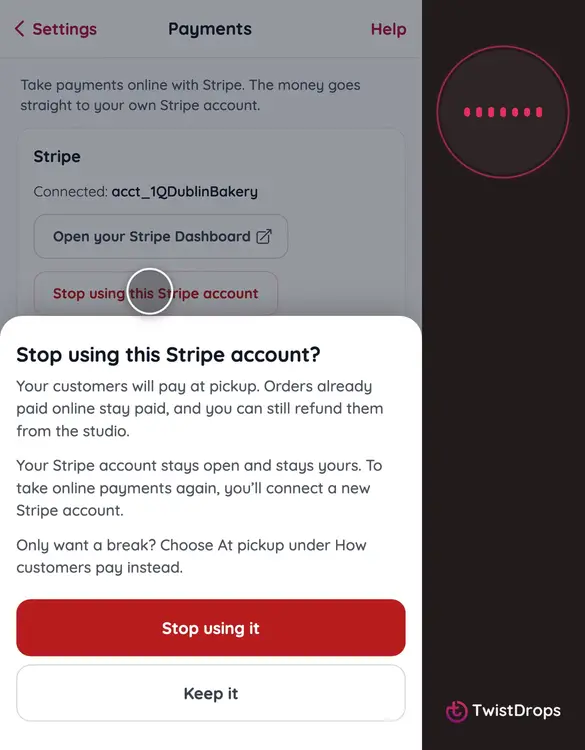
Under Stripe, tap Stop using this Stripe account.
0:15
TwistDrops tells you what happens. Your customers pay at pickup. Orders already paid online stay paid, and you can still refund them from the studio. Your Stripe account stays open, and it stays yours.
0:30
Only want a break? Choose At pickup under How customers pay instead, and keep the account.
0:36
Tap Stop using it.
0:39
Your shop no longer uses the account, and How customers pay is back to At pickup.
0:46
To take online payments again, tap Connect with Stripe, and connect a new account.
Prev
Playlist
Next