Academy
Pickup points: collect in more than one place
Set up your shop · 9 of 14
Hide playlist
Sign in
0:00
/ 1:13
1×
Prev
Next
Transcript
Tap a line to play from there
Click a line to play from there
0:00
Do you hand drops over in more than one place, your shop and a market stall? With the Multiple pickup points add-on, you can. Open Menu, Settings, and tap Pickup points.
0:12
Here is where customers collect now. The point marked Default is where a drop is collected unless you say otherwise.
0:20
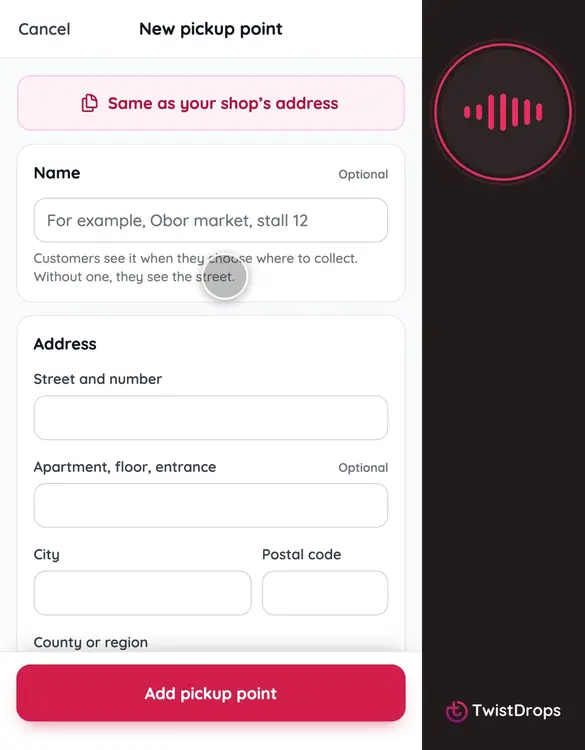
Tap Add a pickup point.
0:23
Give it a name customers will recognise, like Saturday market, and then its address.
0:40
Tap Add pickup point.
0:42
Now you have two. Make either one the default whenever you like.
0:47
Next, a drop. Open Drops, tap Scheduled, and then next week’s bake.
0:56
Under Where, tick the points where this drop is collected. Tick both.
1:02
Tap Save changes.
1:04
Customers choose their point when they reserve, and the order, the emails and the pickup list all say where it is collected.
Prev
Playlist
Next